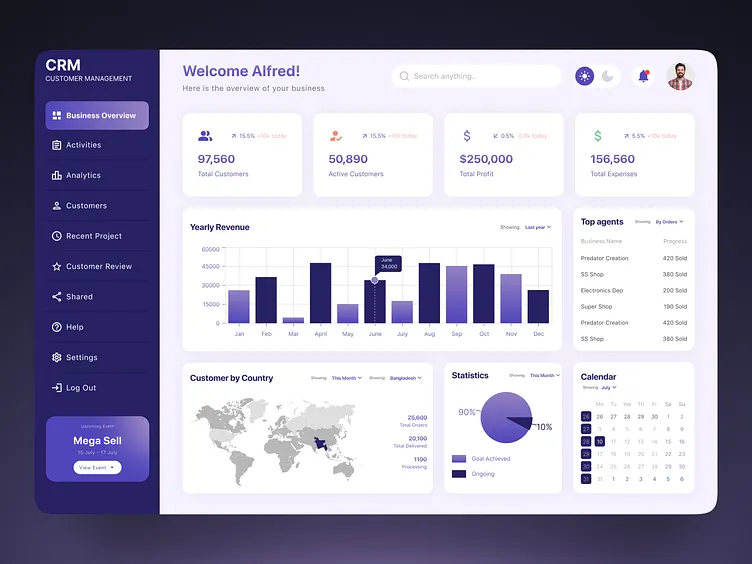
Managing more than 20 clients sounds exciting—until your inbox explodes, deadlines overlap, and follow-ups start slipping. For digital marketers, agencies, and consultants, growth without automation quickly turns into chaos. The good news? With the right automation systems, handling 20, 30, or even 50+ clients becomes not only manageable but scalable and stress-free.
This article breaks down how automation helps you manage multiple clients efficiently, reduce manual work, and deliver consistent results—without burning out.
Why Managing 20+ Clients Becomes Difficult
When client volume increases, most teams struggle with the same problems:
- Repetitive manual tasks
- Missed deadlines and follow-ups
- Inconsistent reporting
- Poor internal communication
- Reduced quality of service
Hiring more people isn’t always the best solution. Automation allows you to do more with the same team while maintaining high standards.
What Automation Really Means for Client Management
Automation is not about replacing humans. It’s about eliminating repetitive, low-value tasks so your team can focus on strategy, creativity, and growth.
In client management, automation typically covers:
- Task creation and assignment
- Reporting and analytics
- Client communication
- Lead and data management
- Internal workflows
Core Areas to Automate When Handling 20+ Clients
1. Client Onboarding Automation
First impressions matter. Automating onboarding ensures every client gets the same smooth experience.
You can automate:
- Welcome emails
- Contract and document sharing
- Questionnaire collection
- Project setup in task management tools
Result: Zero confusion, faster kickoff, and happier clients from day one.
2. Task & Workflow Automation
Manual task tracking is the fastest way to lose control when clients increase.
Automation helps by:
- Creating recurring tasks automatically
- Assigning tasks based on project type
- Sending deadline reminders
- Updating task statuses across tools
Result: Nothing slips through the cracks—even with 20+ active clients.
3. Reporting & Performance Automation
Clients love reports, but creating them manually is time-consuming.
Automated reporting allows you to:
- Pull data from analytics tools automatically
- Generate weekly or monthly reports
- Send reports on a fixed schedule
- Use consistent formats for all clients
Result: Professional, timely reports without spending hours every month.
4. Communication & Follow-Up Automation
When you manage many clients, forgetting a follow-up can cost trust.
Automation can:
- Send meeting reminders
- Trigger follow-up emails
- Notify clients about milestones
- Alert your team about pending responses
Result: Clients feel attended to, even when your workload is high.
5. CRM & Client Data Automation
Client information scattered across tools creates confusion.
With automation:
- Client data syncs automatically
- Lead status updates in real time
- Notes and conversations stay centralized
- Team members always see the latest updates
Result: One source of truth for every client.
Building a Scalable Automation Stack
You don’t need dozens of tools. A simple, well-connected setup works best.
A typical automation stack includes:
- A project management system
- A CRM for client data
- Automation workflows connecting tools
- Reporting dashboards
- Communication tools with triggers
The key is integration, not complexity.
Best Practices for Managing Many Clients with Automation
Standardize Everything
Create templates for:
- Proposals
- Onboarding
- Reports
- Campaign workflows
Standardization makes automation powerful.
Use Naming & Folder Structures
Clear naming conventions help automation run smoothly and prevent confusion when client numbers grow.
Automate, Then Optimize
Start with basic automation. Once it works, refine it based on:
- Bottlenecks
- Client feedback
- Team efficiency
Keep a Human Touch
Automation handles processes—but relationships still need people. Use automation to support communication, not replace it.
Common Mistakes to Avoid
- Over-automating everything at once
- Using too many disconnected tools
- Ignoring team training
- Not documenting workflows
- Forgetting client personalization
Automation should simplify, not complicate.
How Automation Improves Profitability
When managing 20+ clients manually:
- Costs increase
- Errors increase
- Stress increases
With automation:
- Same team handles more clients
- Delivery becomes consistent
- Client retention improves
- Profit margins grow
Automation turns growth into a controlled, profitable process.
Final Thoughts
Managing 20+ clients doesn’t have to feel overwhelming. With smart automation, you gain clarity, control, and confidence. Tasks run in the background, reports deliver themselves, and your team focuses on what actually moves the needle.